AI Photo Editor
Project Concept Label
UI/UX Design
Project Type
INTRODUCTION
The main UX challenge was to simplify complex photo editing tools while keeping the interface intuitive for non-professional users. Lumina is a modern photo editor with advanced AI capabilities. The app allows users to enhance images instantly, apply stylish filters, and fine-tune details with precision. The app offers a professional and user-friendly interface for both beginners and advanced users. Its primary focus is on simplifying complex editing tasks while maintaining a visually appealing aesthetic and seamless user experience.
FEATURES & FUNCTIONALITY
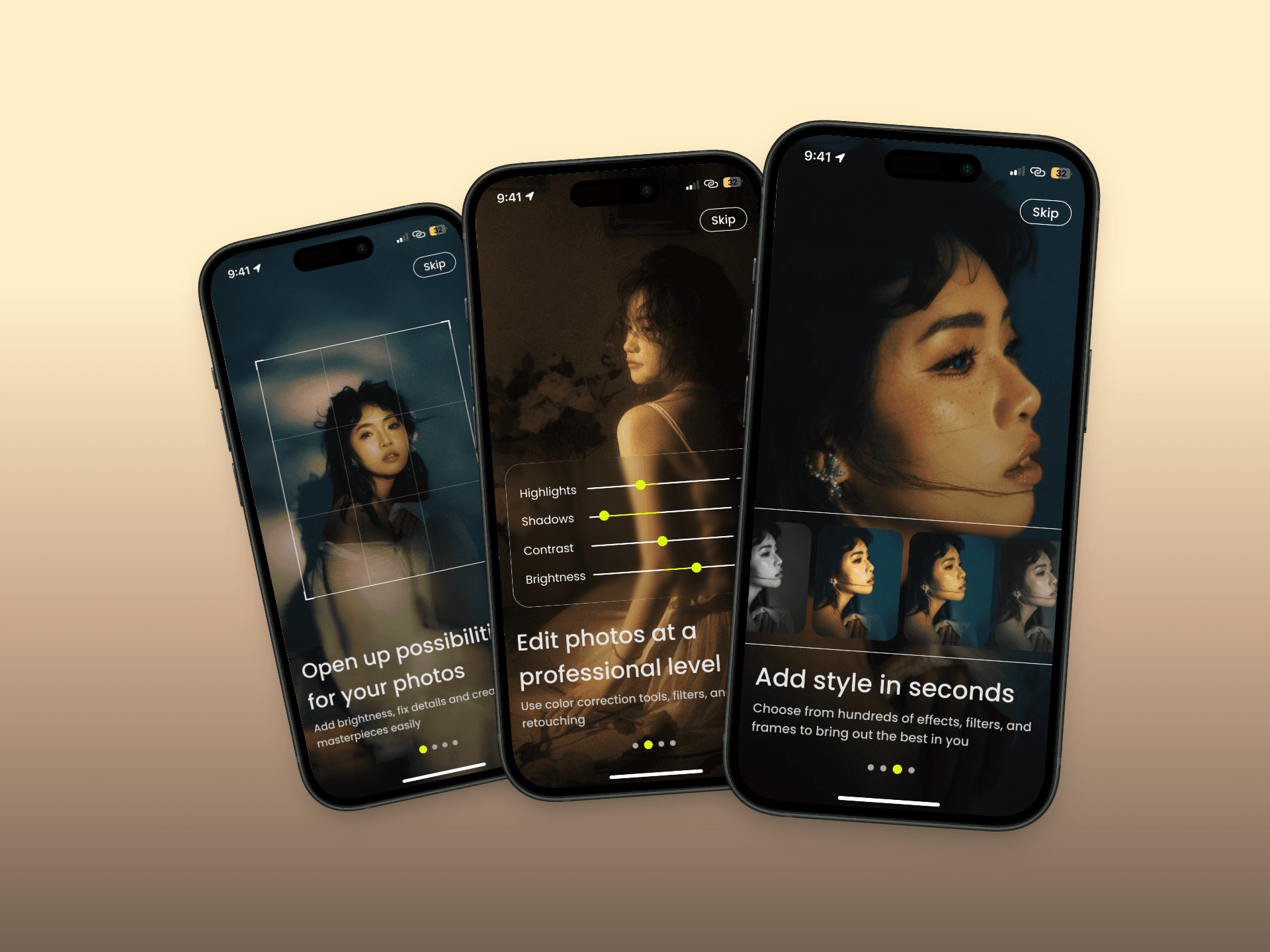
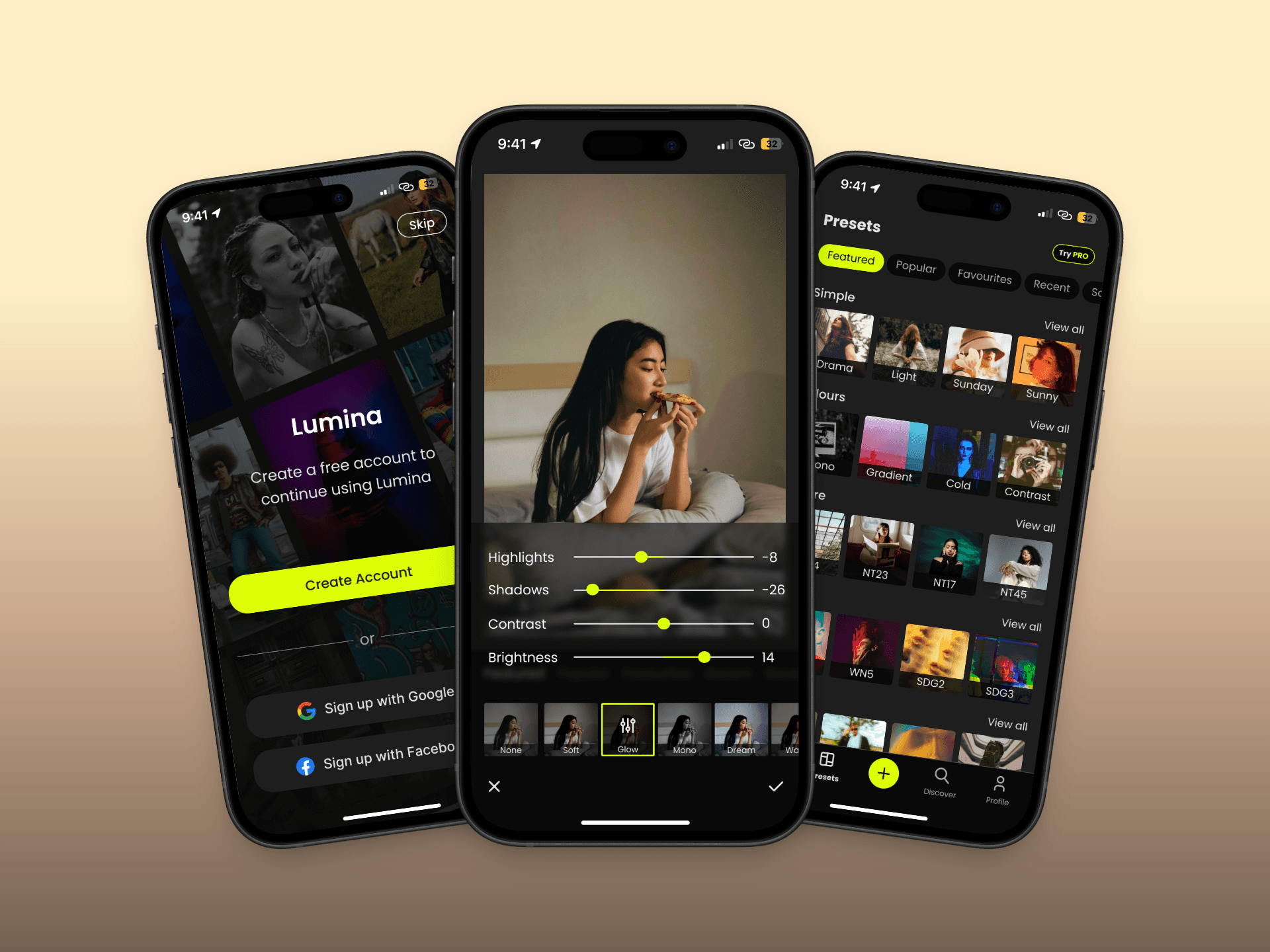
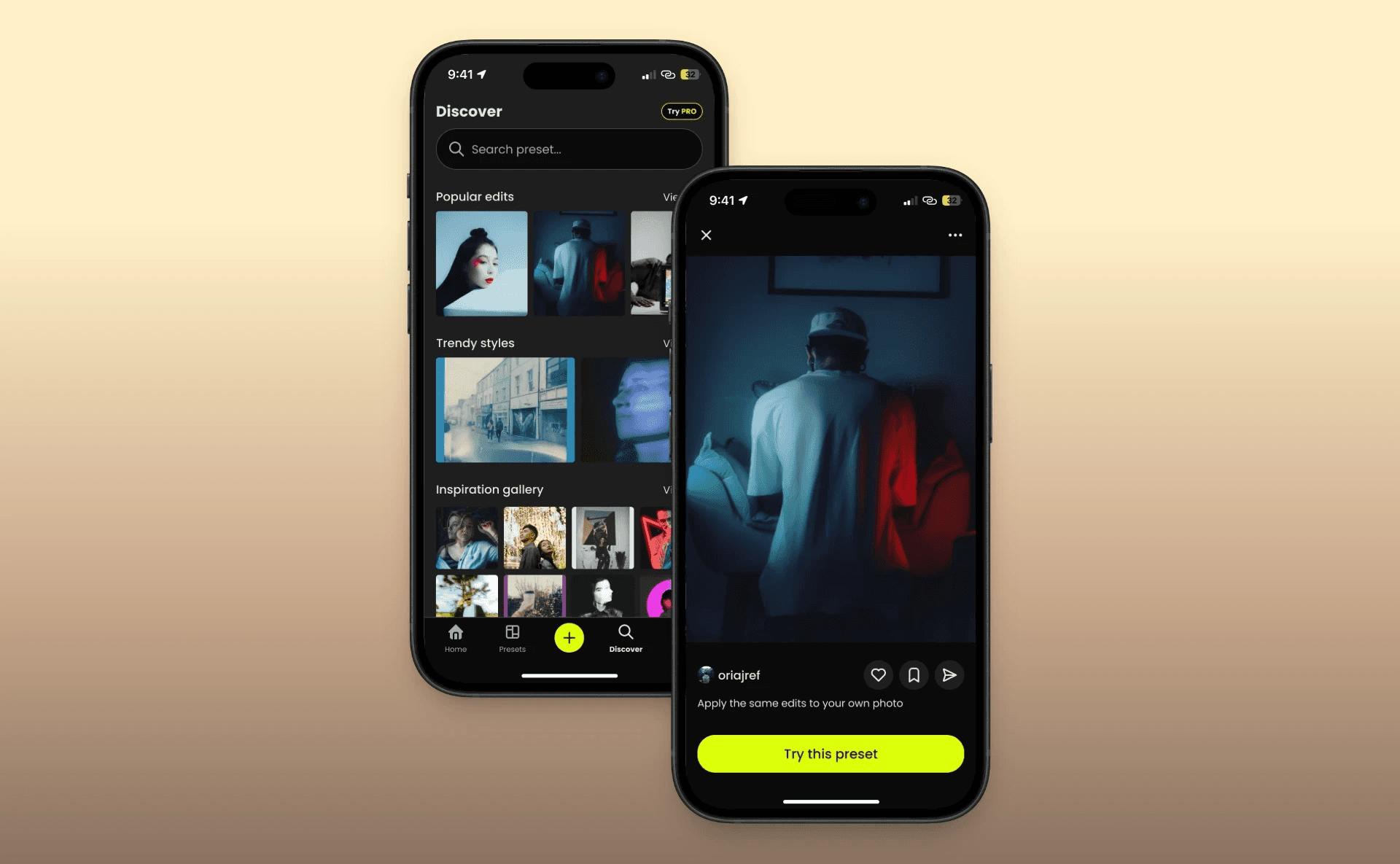
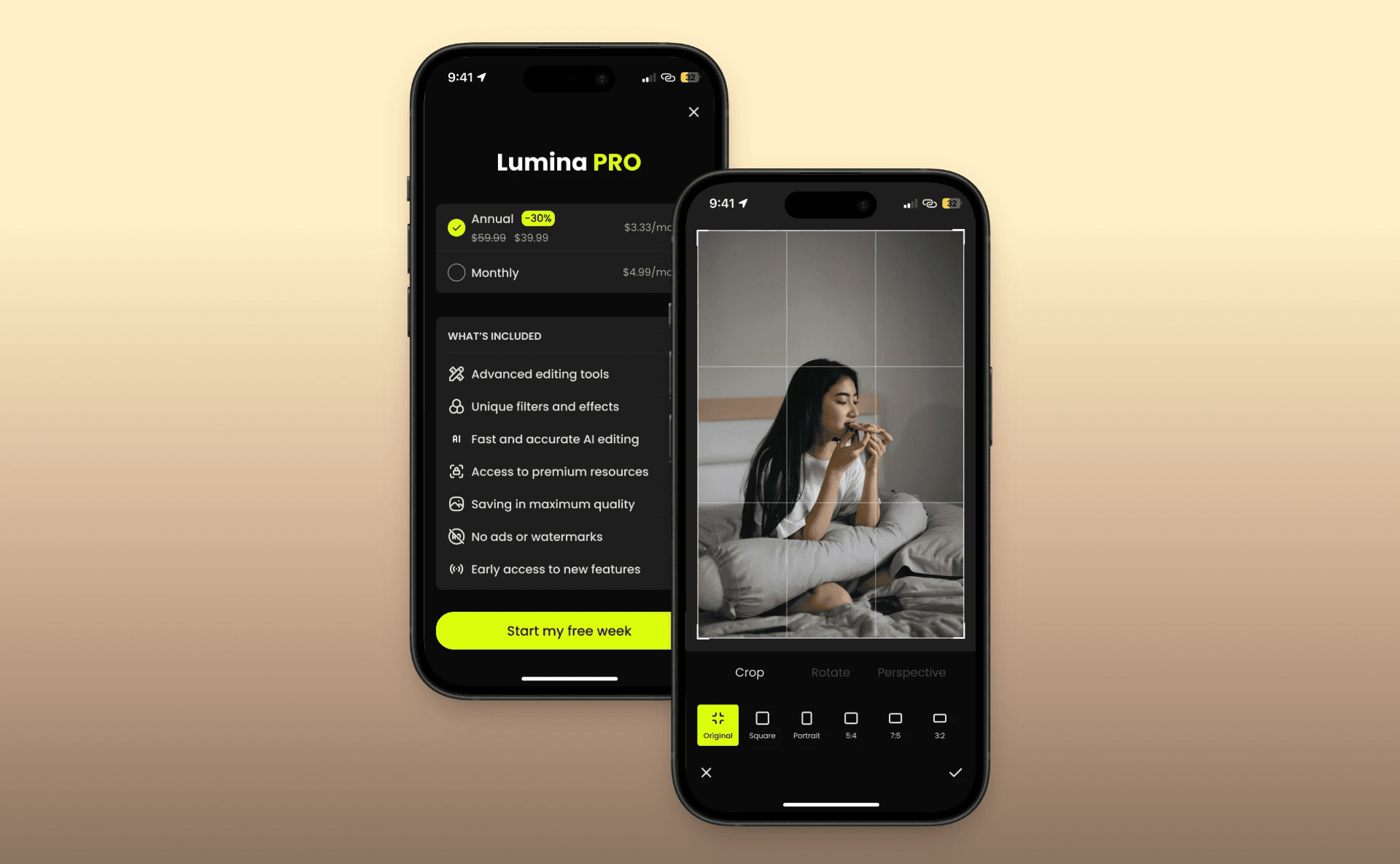
Onboarding Screens The onboarding screens introduce users to the app’s key features, such as advanced photo editing tools, professional-level adjustments, and the ability to add unique styles with filters and effects. These screens use compelling visuals and concise text to engage users. User Authentication & Subscription Users can create an account using Google, Facebook, or email. The app offers a free version and a subscription-based "Lumina PRO" plan, which unlocks premium features such as unique filters, advanced editing tools, and watermark-free exports. Editing Tools Presets and Filters: A variety of preset categories, such as "Nature," "Magic,", "Urban," etc. allow users to instantly apply styles to their photos. Adjustments: Users can fine-tune their photos with tools for highlights, shadows, brightness, contrast, and more. Cropping and Framing: Options to crop, rotate, and adjust perspective provide complete control over the photo’s composition. Background Edits: Users can adjust or replace the background for a professional touch. Discover Tab This section encourages creativity by showcasing popular edits, trendy styles, and inspiration galleries, helping users explore new possibilities for their photos.
FINAL PERFORMANCE
The final design delivers a clear and intuitive editing flow, reducing cognitive load for new users while offering advanced tools for experienced ones. The combination of structured navigation, guided onboarding, and a freemium model supports both user engagement and monetization.